How to Generate Dubai Islamic Bank Credit Card PIN?

Airport Lounge
Relax Before you take off

Shopping Benefits
Exclusive offer on top Cards

Fuel benefits
Save more on every fill

Movie Discounts
Enjoy blockbusters for less


Reward points on Every Spend*


Monthly Income (Dirhams)
Below 5k
5k - 8k
8k - 12k
12k - 15k
15k - 20k
20k - 25k
25k - 35k
Above 35k
Most Popular Credit Card in UAE
Free for Life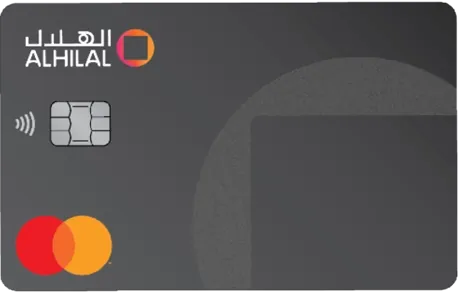
Cashback Credit Card
Minimum Salary:5,000
Annual Fee:Free for Life
5% cashback on two categories below Grocery, Educations, Fuel, International spends, Dining
Enjoy complimentary airport lounge access to over 25 lounges worldwide.
Cashback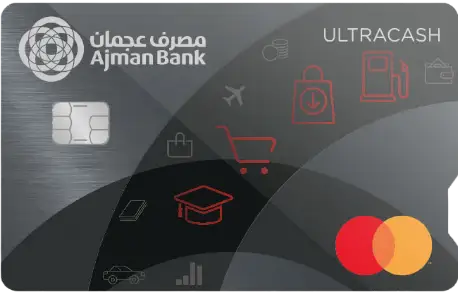
ULTRACASH Mastercard Touch Card
Minimum Salary:10,000
Annual Fee:500
Welcome Offer : Make one retail transaction in the first 30 days of card issuance and receive bonus cashback upon payment of annual fee.AED 500 UAE Nationals and AED 300 Expatriates
10% cashback on Fuel for the first 3 months and 5% thereafter
Reward Points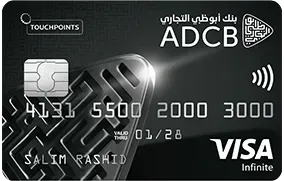
TouchPoints Visa Infinite Credit Card
Minimum Salary:25,000
Annual Fee:1,050
15,000 Bonus TouchPoints for spends of AED 15,000
VOX Cinemas Buy one get one FREE
Dubai Islamic Bank offers credit cards with a quick and secure PIN generation process.
You can think of a PIN, short for Personal Identification Number, as a secret code to access your credit card. It ensures that only you can authorise transactions on your credit card, adding an extra layer of security.
To generate your PIN, you can visit a nearby Dubai Islamic Bank branch or use the bank’s online banking service. If you prefer the online method, you can easily generate your PIN through the bank's website or mobile app.

How to Generate Dubai Islamic Bank Credit Card?
Let’s check out the primary methods to generate a Dubai Islamic Bank credit card PIN in the UAE —
Online Banking
- Sign into your internet banking account.
- Choose ‘Card Activation’ and select PIN from the menu.
- Click on ‘Set PIN’ and select your credit card.
- Create a 4-digit PIN and confirm it.
- An OTP will be sent to your registered mobile number.
- Type in the OTP and hit ‘Confirm’.
Phone Banking
- Dial +97146092222 and select a preferred language.
- Press * to go to normal IVR.
- Press 3 for PIN Generation, then hit 1 for Card Activation & PIN Generation.
- Type in your 16-digit credit card number along with the card expiry date.
- An authentication code will be sent to your registered mobile number.
- Enter the code and set up a new PIN.

Mobile App
- Sign into your account and head to the main menu.
- Select cards followed by clicking on the ‘Portfolio’ option.
- Choose your credit card and hit ‘Activate’.
- Create a 4-digit PIN of your choice.
- After confirming, you will get an OTP on your registered mobile number.
- Enter the code and click “Confirm”.
Via ATMs/CDMs
- Visit your nearest DIB ATM and insert the card into the machine.
- Choose your preferred language.
- An authentication code will be sent to your registered mobile number.
- Enter the code and a 4-digit Dubai Islamic credit card PIN.
- Confirm the code to successfully set up the PIN.
Paisabazaar UAE: Helping you navigate the wilderness of the insurance world!
Who knew finding Credit card is so easyI am gonna say it again and again. Paisabazaar.ae is damn good site to get the cards you want. I got my 2nd credit card here. The team is sweet, helpful, helped me make the right pick when I was confused with so many options. Thanks peeps!

This site has a lot of Credit Card optionsPaisabazaar.ae has rewarding, cashback-loaded, travel, premium, shopping-centric credit cards. they have about 60+ card options and I saw it. I got the best credit card in no time.
Paisabazaar.ae saved me from getting lostI'm only a year old in UAE and I badly needed a Credit card. Paisabazaar.ae became a trusted partner. I could easily browse through their listings and find the perfect card for me in no time. you should check it out too.
Team really helped with the application processI filled the lead. got confused about options, the agent called. he helped streamline my options, I got a very rewarding card. Thanks buddy!
They have a great rewards calculatorI used it to calculate cashback I would earn and the cards that offer such cashback. I am really happy with the credit card offering based on the calculator.
Paisabazaar.ae is pretty coolOh everything about it is so easy. comparison, choosing, and even applying! I was also provided assistance from their team when I was doubtful of about what to choose. But they meticulously helped me make a decision. Good job peeps!
More From Credit Cards
- Recent Articles
- Popular Articles
 Last Updated : 26 Oct 2026Credit Card Grace Period in UAE: How It Works & How to Avoid InterestDon't get caught by hidden credit card fees in the UAE. Discover how interest-free periods work and simple steps to completely avoid interest charges.
 Last Updated : 06 Oct 2026Debt Burden Ratio: What It Is & How to Calculate ItLearn what Debt Burden Ratio (DBR) is, how to calculate it step-by-step with formulas, and why banks use DBR to assess your loan approval limits.
 Last Updated : 15 Sep 2026Best Credit Card for Noon Supermarket in UAE 2026Best Credit Card for Noon Supermarket in UAE 2026 – Compare top cards, cashback offers, rewards and benefits to maximize savings on your Noon grocery purchases.
- Last Updated : 08 Sep 2026Best Credit Cards for Carrefour in UAE 2026Compare the top credit cards for Carrefour shopping in the UAE. Discover cards offering up to 8% back in SHARE points, cashback, and 0% installment plans.
 Last Updated : 27 Aug 2026Best Credit Cards for AED 30000 Salary in UAE (2026)Compare premium Visa Infinite & Mastercard World cards for AED 30K salary in the UAE. Maximize Skywards miles, valet parking, airport lounge access, and cash rewards.
 Last Updated : 26 Aug 2026Best Credit Cards for LuLu Hypermarkets in UAEDiscover the top credit cards for LuLu Hypermarket shoppers in the UAE. Compare top cards and high-cashback grocery options to earn up to 10% back on your daily purchases.